
🟢 Awareness, mapping and procedures – for every organization
🟡 Install restrictions, device management and stronger authentication – for IT teams
As of November 2026 · Relevant for: executives · IT and information security managers · marketing and customer service · any employee with a smartphone
Not for: readers looking for a technical analysis of the malware. The full details of the app have not been published.
| Risk classification:
🟢 Green – safe: Reading this article, training employees, mapping which phones have access to company systems, and drafting a procedure for a suspected installation. None of these actions changes anything on the devices. 🟡 Yellow – proceed with caution: Restricting installs from unknown sources, enabling policies in a mobile device management tool, strengthening authentication and changing security settings should be done by the IT team, under change management, and in coordination with employees when a personal phone is involved. This article does not provide implementation instructions. |
In brief
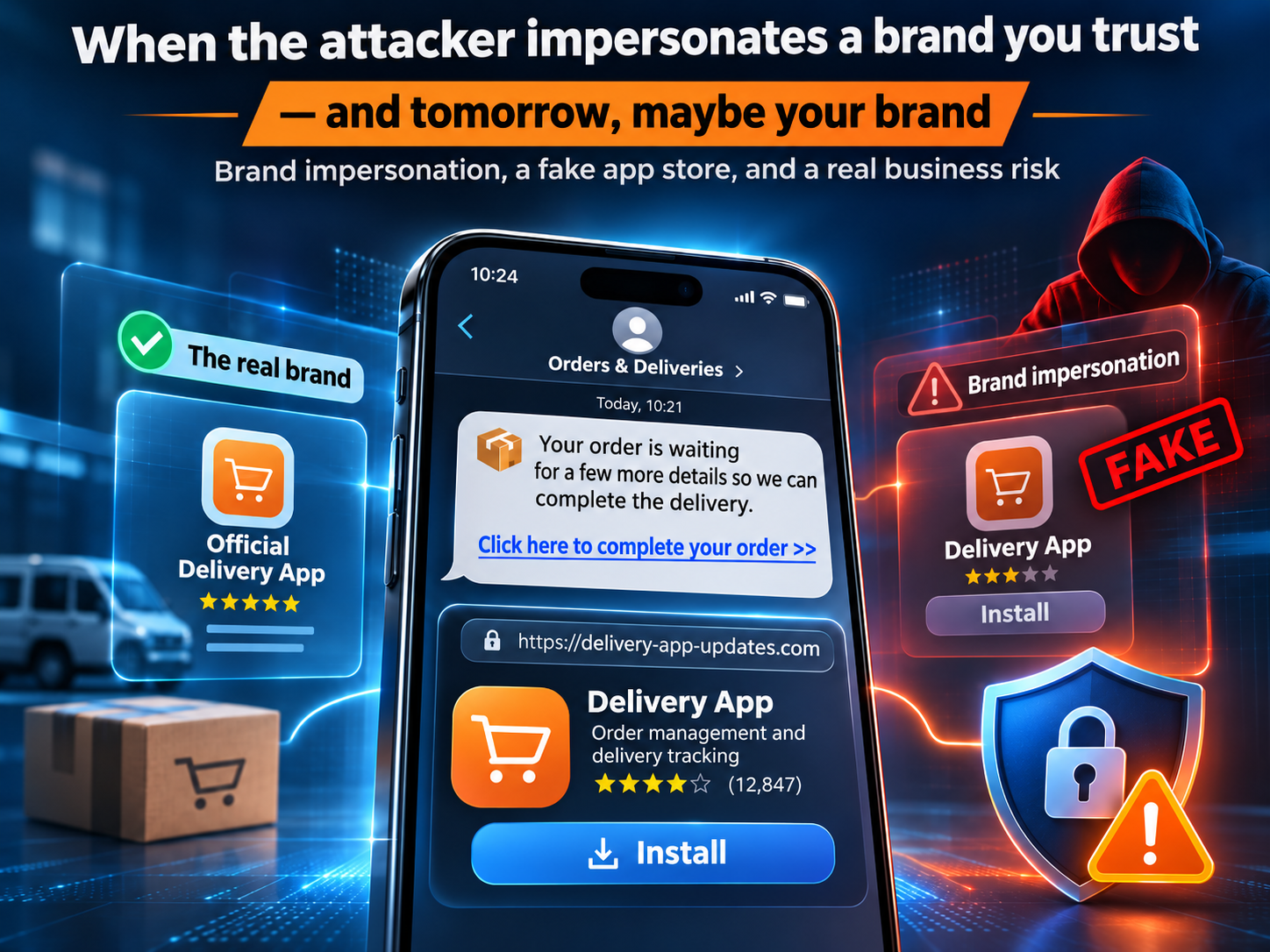
On Sunday, November 15, 2026, Israel’s National Cyber Directorate (INCD) warned, in a post on its official Instagram account, of a message impersonating Yad2, an Israeli online classifieds marketplace. The message referred to an order and a shipment awaiting completion, and directed the recipient to download an app from a fake store. That evening, the app was still being analyzed. The next day, mako reported that, according to the Directorate, the analysis was complete and found that the app gains access to contacts, the camera and additional permissions on the device. According to Yad2, it did not suffer a security incident: the attackers borrowed its name and the trust the public places in it.
Credit goes to the INCD, which received a report, investigated and alerted the public with clear recommendations. In our view, the important question for organizations is not only “how do we avoid falling for this,” but also what happens when someone impersonates their own brand.
What actually happened
According to media reports, the scam was built in several stages, and each stage looks plausible on its own:
1. A message from a familiar brand: A message impersonating Yad2, about an order and a shipment awaiting completion. According to mako, it targeted Yad2’s customers, especially those who had posted on the site in the past. The articles do not say which channel it was sent through.
2. A fake app store: The link led to a site that imitates an app store, complete with ratings and download counts, to project credibility.
3. Installation from an unknown source: The user was asked to download a file and approve the installation themselves. In our assessment, at this stage the attacker is asking the user to bypass the phone’s built-in protection on their own.
4. Permissions: According to the Directorate’s findings, as reported by mako the next day, once installed the app gains access to contacts, the camera and additional permissions.
According to ynet, Yad2 announced that the link had been blocked and is no longer active. According to mako, it is not known how many users downloaded the app. Yad2 clarified that “this is external activity unrelated to the Yad2 site or its systems.”
This is not an isolated case
In our assessment, this is a method, not a one-off failure. Earlier this year, Walla reported a malicious app impersonating the official app of the Home Front Command, sent in an SMS about an alerts malfunction that had supposedly been “resolved.” In May 2025, the INCD warned of a broad phishing campaign impersonating the Ministry of Justice, the State Attorney’s Office and the Israel Police, in which the file downloaded from the link installed legitimate remote-control software that the attackers then exploited.
The common thread, in our assessment: the attacker does not break into the brand, he borrows its trust. A familiar brand, an urgent subject such as a pending shipment, an alerts malfunction or an investigation file, and one simple action that the user is asked to perform on their own.
Why it works
In our assessment, three things make this scam especially effective. First, it arrives in the name of an organization that many of us really do deal with, so the message does not look unusual. Second, it creates a small, everyday urgency rather than a dramatic threat that sets off alarm bells. Third, it moves the user to a store that looks like the real one. The INCD’s warning addresses exactly this point: “Even a site that looks like an official app store may be fake.”
What the attacker gets, and why it matters to the business
An app with access to contacts and the camera sounds like a private problem. But in our experience, many employees’ phones also hold corporate email, business WhatsApp, authentication apps and sometimes access to company systems. In our assessment, three business risks follow:
The contact list can become a database for the attacker: Permission to access contacts is not proof that the data was copied. But if it was, the phone numbers of customers, suppliers and managers are raw material for the next impersonation attack, this time in your name or your manager’s.
The phone is the authentication tool: If the same device is used to approve sign-ins to company systems, compromising it may also endanger authentication processes, depending on the permissions obtained and the capabilities of the malicious app. The operating system separates apps, but that is no reason to rely on a code in a message alone. We therefore recommend phishing-resistant authentication.
There is no barrier between “personal” and “business”: An employee who installs an app on a personal phone in the evening brings it to work in the morning.
In short, what this means for you:
| Situation | What it means for you |
|---|---|
| An employee received such a message and did not click | It is still worth reporting to the organization’s security contact, and the INCD also asks that it be reported to the 119 hotline |
| An employee has already installed the app | Treat it as a security incident: report immediately to IT or security, disconnect the device from organizational access in a controlled way, and arrange a professional examination. Based on the findings: revoke active account sessions, check which accounts and authentication methods were exposed, and change passwords from a clean device. Reporting to the 119 hotline is an additional step, not a substitute for this response |
| Employees use personal phones for work | Define a policy: what is permitted, what company data may be stored on the phone, and how it is protected |
| You have mobile device management | Check whether the policy restricts installation of unmanaged apps |
| The organization sends customers order, shipping or payment updates | You are a natural target for impersonation. Define and publish your official communication channels |
And tomorrow, perhaps your brand
Yad2 shows that even an organization that, by its own statement, was not breached can be drawn into an incident. Such an organization may find itself facing customers who received a message in its name, were harmed, and are now turning to it. In our view, every organization that communicates with customers by message, and especially those that send order, shipping or payment updates, should assume this could happen to them and prepare in advance:
Define in advance how you talk to customers: through which channels, from which sender name, and what you will never ask for, such as installing an app from a link or handing over a code. Publish this to your customers.
Monitor impersonation of your name: lookalike domains, fake social media pages, and messages that customers report.
Give customers a way to report: a dedicated address or a form on your website for reporting a suspicious message in your name, and an orderly process for taking down impersonating domains and pages with hosting providers and platforms.
Prepare the response: who decides, who reports to the INCD, who updates customers, and in what wording. According to ynet, Yad2 said it dealt with the matter quickly. In our assessment, a fast and clear response is what limits the damage to trust.
What to do right now
The following steps are our professional recommendation. Some are based on INCD recommendations:
1. One rule for all employees: Download apps only from Google Play and the App Store, and never from a link or a file received in a message, even if the site looks like an official store. If the phone asks you to allow installation from that source, do not approve it, and stop. This is also the INCD’s recommendation. Because problematic apps can occasionally reach official stores too, check the developer name, the app name and the permissions there as well.
2. Check permissions: According to the Directorate, check whether the permissions an app requests match its purpose. A request for contacts, camera or other data that the app’s stated use does not need should raise suspicion.
3. Keep built-in protection on: On Android devices, Google Play Protect also scans apps from other sources, warns about harmful apps, and may block or remove them. Do not turn it off, and remember that it is an additional layer of protection, not a guarantee that every malicious app will be detected. In our assessment, it is also important to distinguish between device types: installation from unknown sources and Play Protect are Android mechanisms. On iPhone, the installation and protection mechanisms are different, so the policy must fit the device type and the way it is managed.
4. Restrict installations on managed devices: Mobile device management tools can restrict installation of unmanaged apps. Google Workspace, for example, lets an administrator allow only approved apps on managed Android devices, using advanced mobile management and in certain editions. This setting does not remove apps that are already installed. There is also a difference between an organization-owned device, where a full policy can be enforced, and a personal phone, where the policy should be proportionate, transparent and coordinated with the employee.
5. Strengthen authentication and access control: Use phishing-resistant authentication, such as FIDO2 or passkeys, for employees and sensitive systems, where supported. According to NIST, a one-time code or an approval over a separate channel is not phishing-resistant. In addition, conditional access control, for example allowing access to company systems only from managed, compliant devices, limits the damage from a compromised device.
6. Write a short procedure: What an employee who clicked should do, whom to call, and how to cut a suspect device off from organizational access. A one-page procedure that everyone knows is better than a long document that no one has read.
Risks and warnings
What is not known: The full analysis of the app has not been published. It is not known through which channel the message was sent, how many people installed the app, or whether it had additional capabilities. Therefore, anyone who installed it should treat it as a security incident, even if they saw nothing unusual.
“It’s only on my personal phone”: Not necessarily. In our experience, in many organizations the personal phone is connected to email, business WhatsApp or authentication. If it is unclear what is connected, that is worth checking.
Do not rely on appearance alone: According to the Directorate, even a site that looks like an official app store, with ratings and download counts, may be fake.
Employee privacy: Restrictions on a personal phone should be proportionate, transparent and coordinated with employees, and where necessary with legal advice.
| T.O.M recommendation: In our view, the Yad2 incident shows that the question is no longer whether a well-known brand will be impersonated, but how your organization responds: when an employee receives such a message, and when someone impersonates you. In our experience, three steps deliver most of the benefit: a clear rule for employees on installing apps, restricted installations on managed devices (coordinated with employees where personal phones are involved), and a short response procedure that everyone knows. If you would like us to go over this with you, get in touch. |
Sources
• mako, The App That Impersonated Yad2 and Gained Access to the Camera and Contacts, 16.11.2026
• ynet, The National Cyber Directorate Warns of Yad2 Impersonation, 15.11.2026
• ice, Yad2 Impersonation: The New Scam That Could Trap You, 15.11.2026
• Walla, Cyber Directorate Warning About an App Impersonating the Home Front Command, updated 3.3.2026
• Google, Google Play Protect Help
• Google Workspace, Block Installation of Unmanaged Apps
As of November 2026. All sources were checked on 18.11.2026. The details of the incident are based on the Cyber Directorate’s announcement and on media reports.
| DisclaimerThe information in this article is provided for educational and general informational purposes only, based on public sources and as of the time of writing. It does not constitute professional advice, a recommendation to act, or a substitute for an assessment of your specific environment. Systems, versions, network equipment and organizational policies vary from place to place, so results may differ.
Any change to system settings, particularly on servers and in production environments, is made at the sole responsibility of the person performing it, after documenting the existing state, taking a backup, within a maintenance window and with the approval of an authorized IT professional. T.O.M at your service Ltd will not be liable for any direct or indirect damage, data loss or downtime resulting from applying this information. If in doubt, consult us before proceeding. |
👈 To book a consultation directly in our calendar: click here
📲 Want a practical weekly tip straight to your phone?
Join our WhatsApp channel – one computing, cyber and cloud tip a week, no spam, and your number stays private:
👈 One-click join: link
© T.O.M at your service Ltd | The Experts in Creating Peace of Mind | tom-comp.com